Online PR and Press Releases

Something interesting and unexpected happened me recently (like yesterday!). I built a new website last week and, as you do, tried to promote it best I could a few days after it went live. I used the usual channels, ie – wrote a blog post here and on my other sites about it, Facebook, Twitter, etc..I also decided to submit a press release for free through IrishPressReleases.ie which I’ve done a few times previously for some of my other sites but without any great effect. That press release got picked up by a prominent Irish Technology News service Silicon Republic who deemed it worthy to republish on their site pretty much in it’s entirity complete with images and web links, both to the new site and my main Reverb Studios one.

Silicon Republic publish all their stories on Twitter to (currently) 3,727 followers and also to their Facebook page. The Twitter side of it is what interested me most. They also include a “Retweet this” button on their articles and the article about my new site has been retweeted by 12 different people so far. Drilling down a little I was able to find these people’s Twitter url’s and see how many people in turn followed them. The follower numbers ranged from 59 to 12,300.

By my very rough calculations, I’m guessing in the region of 27,000 people worldwide on twitter alone have been potentially exposed to Silicon Republic’s article so far and by extension, to both my new site and this one and all for about 15 mins writing the original press release! You wont get that with an ad in the local paper!

Here’s my Google stats for the day:

Google Analytics

Leon.

Get Facebook Page Notifications

At Last!!!! I’ve always thought it was mind boggling that Facebook didn’t have some sort of email notification system for when someone posts or comments on your Page wall or Page photos. Would love to know the reason why they’ve not added it? I smell a rat! Business Facebook page notifications should be essential these days so companies can keep an eye on customer relations and respond to questions and feedback posted.

I’ve just found a Facebook app that does the job perfectly well. It’s called PageNotifier. Click that link and add the application to your Facebook account then configure it as below:

Facebook Page Notifier

You can get the Page ID value by visiting your own page and looking in the address bar or if you’ve got a tidy URL you can click the ‘Edit Page’ link then copy the ID number from the address bar that way.

You can add multiple page notifications and on first use, PageNotifier scans your pages every 15 minutes. After 24 hours it only scans once a day unless you subscribe to an affordable monthly payment plan but I think once a day is probably enough. It’s certainly better than the ‘never scan’ default Facebook option!

The app currently notifies you of Wall posts, Comments, and Photo, Album & Video Comments. Here’s what an email notification looks like:

Facebook Page Notifier Email

Spread the word..PageNotifier

Leon.

Gravity Forms WordPress Form Plugin Review

You’ll always need some kind of contact or conversion Form on your site and since I use WordPress a lot both for clients sites and my own, I’m always on the lookout for good Form plugins. I prefer to stick with free plugins for the most part. There are tons of excellent and free wordpress plugins to do almost anything you wish including some good free form plugins such as Contact Form 7 and Cforms but there comes a time when you need to fork out a little to get that extra bit of functionality, quality and support.

I’ve been using Gravity Forms for quite a while now and for me it stands apart from the rest. It’s a very reasonably priced ($39 at time of writing) commercial WordPress Forms Plugin with an incredible feature list including:

Standout Features:

  • Simple drag and drop form creation,
  • Accept WordPress Posts/Articles via form submissions,
  • Conditional Fields that change following fields based on previous input,
  • Limit the number of form submissions, eg First 20 competition submissions only,
  • View and respond to generated querys from within WordPress admin,
  • Calculation Fields,
  • Excellent Addons including Paypal, MailChimp and User Registration.

Other Features:

  • Easy embedding into posts and pages,
  • Multiple field types,
  • Advanced Address fields,
  • Advanced Auto-responders with form field integration,
  • Quick bulk population of predefined lists, drop downs, etc,
  • Upload images and files,
  • reCaptcha anti-spam,
  • HTML content fields,
  • Import/Export/Backup forms,
  • Export form data to CSV,
  • Notification Email formatting,
  • Notification to different email addresses based on submission rules,
  • Valid HTML form code,
  • Dynamic field pre-population,
  • Schedule a begining and end date during which your form will appear,
  • New form submission notifications in the WordPress dashboard,
  • Present category list for post submissions,
  • Choose status of submitted posts,
  • Pass form data to a confirmation page for integration with 3rd parties,
  • Use supplied hooks to integrate with other WordPress plugins.

Check it out at GravityForms.com

Leon

Protecting Your Brand

I was reminded recently why it’s important to keep an eye on what people are saying about you, your business and brand, especially online where people say what they like a lot of the time (me included!). A follower of mine on Twitter and fellow web designer had some time on his hands one Saturday evening and decided to let me and a large client of mine know that the site I built for them used an off the shelf template. His tone suggested that I’d done something wrong by using an existing template and not telling anyone or crediting the original template creators. He misread my footer link on the clients site, thinking it said “a Reverb Studios Designed blog” when in fact it said “a Reverb Studios Design blog”, quite different things really! I used an outdated and freely available template, heavily customised and modernised it both back end and front and felt I didn’t have to credit the original designer for these reasons. Something which on reflection, I’ve now changed and included a credit to them just in case.. I also didn’t charge the client an arm and a leg for a custom designed site from scratch, instead charging my usual budget price so I don’t believe I done anything wrong.

The consequence of ignoring or not spotting this kind of thing is that negativity about your company can spread quite quickly and damage your brand and future earning potential. It was made easy for me on this occasion as the moaner in question communicated his imagined problem to me at the same time as my client but things will not always be that easy. Apart from keeping a very close eye on things like your Twitter and Facebook streams, you can also use an excellent service like Google Alerts to let you know when you’re mentioned or when someone links to your site.

If you know stuff was said about you in public then do the best thing you can and defend yourself there too.

Leon.

MP3 Sound Asleep Pillow Review

I couldn’t resist grabbing one of these after spotting an ad in a pc mag. I listen to music in bed a lot and it helps me sleep sometimes. I had in-ear headphones that weren’t too uncomfortable but twisting and turning was still a bit hard on the ears and mid-sleep self-strangulation was always a likelyhood!

I bought the pillow despite doubting it’s abilities to provide the same high quality sound earphones do and doubting whether the sound could be fully private and contained in close proximity to someone else. The price of about €27 incl postage was worth the gamble I reckoned so I bought one last week and it got here pretty quick.

MP3 Pillow

Thankfully it came with the correct attachments for connecting to my iPhone, namely a decent length stereo mini-jack (3.5mm) to mini-jack lead. That leads me to my first problem! Maybe I was expecting too much but surely, if you can put one speaker in a pillow, you can put two!? There’s only one as far as I can hear and it’s placed over at one corner of the pillow. What might have been better is if it had two speakers, one each side then you could put your head in the middle and get a surround sound, stereo effect?

The vendor’s claim that “only you can hear your personal sounds, so your partner can sleep in peace” is not strictly true unless you keep the volume way down or he/she cancels things out by snoring! I’m a bit of an audiophile so I need to be able to hear my music properly to fully enjoy it. Turning it up loud didn’t wake anyone else in the house either though it has to be said.

I think the real value of this is for people who’d like some background music or sounds to help them drift off, or even to listen to audio books. If you want to buy it to rock out to your favorite tunes in bed and not have someone next to you hear then forget it. Getting an extension lead and hooking up to the TV might be a cool idea too. Of course you could use it elsewhere apart from the bedroom, ie – car, plane journeys etc..

Worth buying though.

Grab one for yourself from Gstore.ie

Leon.

SEO Heading Structure for your Site/Blog

I’ve just recently re-coded my main site and blog to take Heading Tags into account. I thought they were added okish to begin with but an article from WordPress guru Yoast de Valk made me have another look. I’d like to try paraphrase his article here and simplify it so it’s a bit easier to digest both for me and for you.

Basically, you can endear yourself to Google and the other search engines a little bit more if you write your markup/code semantically which basically means being tidy, adding code hints and most importantly perhaps, adding the correct Formatting and Heading tags to the content you want highlighted the most/least. The idea is to make the most important keywords on the page your H1 heading, the next most important H2, and so on so when the Google bot visits your page it can then see at a glance so to speak, the most important areas and hopefully index same.

There should be only one H1 tag on a page and this should be your Page Title, Blog Title, Business name, etc..Your H2’s might be the titles of the individual sections on the page or perhaps your Article titles if you have a Blog. H3’s would be Sub-headings, H4′ s might be sidebar headings, etc..etc..

It’s important to style your headings accordingly so people too (not just Google bots!) can easily scan through longer pages of text and pick out the important parts but also that the heading tags actually contain valuable keywords. There’s no point having headings if you don’t follow both rules. If you do it correctly your page will be nicely ‘outlined’ for both search engines and real people.

Here’s a couple of screenshots from my main site and blog to explain things better and show how I’ve personally set things up.

Main Site:

Main Site Headings

Blog Headings:

Blog Headings

Leon.

Secure WordPress Using Authentication Keys

Here’s how to better secure your WordPress installation by adding some unique authentication keys to the wp-config.php file. You’ll find this file in the root WordPress directory and it’s a file that governs some of the main and most important settings in any WordPress installation. Without it WordPress can’t function. Spammers and hackers know this and it’s one of the more attacked files so here’s how to secure it a bit.

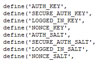
Open up wp-config.php in a HTML editor and look for the following set of definitions:

define(‘AUTH_KEY’,         ‘put your unique phrase here’);
define(‘SECURE_AUTH_KEY’,  ‘put your unique phrase here’);
define(‘LOGGED_IN_KEY’,    ‘put your unique phrase here’);
define(‘NONCE_KEY’,        ‘put your unique phrase here’);
define(‘AUTH_SALT’,        ‘put your unique phrase here’);
define(‘SECURE_AUTH_SALT’, ‘put your unique phrase here’);
define(‘LOGGED_IN_SALT’,   ‘put your unique phrase here’);
define(‘NONCE_SALT’,       ‘put your unique phrase here’);

Go to the official WordPress Secret Key Generator https://api.wordpress.org/secret-key/1.1/salt/ and refresh to generate some random secret keys. Carefully copy and paste the given key values into the corresponding definitions above, replacing put your unique phrase here.

You can change these values as often as you like without consequence.

Leon.

Hide Number of Comments if None in WordPress

Just a quick one to tidy up your blog a little and make it a little less negative! It’s quite common to see a list of posts on a WordPress blog with meta info underneath each one displaying things like Post Time, Post Category, Author and the number of Comments the article has. For smaller blogs, there probably wont be too many comments left so you’ll see “No Comments” or “0 Comments” under a lot of the posts. I’ve always thought this looked a little sad on my own blog. Like, here I am slaving away on these excellent and informative articles and no one is reading or commenting on them!? Here’s a quick code edit to hide the “No Comments” text if there are none but show the number of comments and link to them if there are any.

Open the index.php file for your theme in a HTML editor and look for a line similar to this:

<?php comments_popup_link(‘0 Comments’, ‘1 Comment’, ‘% Comments ‘); ?>

Change this to:

<?php comments_popup_link(”, ‘1 Comment’, ‘% Comments ‘); ?>

You’re just deleting any text that should be displayed when there are no comments so if there are none, then nothing will be shown. Geddit!?

You might need to edit this line in several other template files also such as Archive.php, Category.php, Search.php, Tag.php and anywhere else comment numbers are displayed.

Leon.